METER-TO-TRANSFORMER MAPPING

Meter-to-Transformer Mapping From the AMI Voltage Data You Already Collect

Prevents Outages Before They Happen

Utileyes analyzes the interval voltage your AMI meters already record to work out which meters share a transformer, confirming your GIS connectivity where it exists and building it where it does not. No new hardware. No field sensors.

0

new hardware or field sensors required

Uses interval voltage, meter IDs, and locations from your existing AMI system

Drone icon
2

independent analytical methods that must agree

The highest-priority findings are the ones both methods confirm

Data object icon
Weekly

results refresh as new AMI data arrives

THE CHALLENGE

Why Meter-to-Transformer Connectivity Records Drift

Your GIS records which transformer serves each meter, and that record drives decisions every day. It is rarely complete. Construction, storm restoration, service upgrades, and years of manual edits leave meters recorded on the wrong transformer, or on none at all. Checking them one meter at a time does not scale.

The meters already know where they are connected. Utileyes reads it from the voltage data they already record.

The Problem

Outage response misses the right customers

When meters are recorded on the wrong transformer, the customers you believe are affected by an outage are not the ones who are.

‍

Transformer overloads stay hidden

Overloads can hide behind meters recorded on other equipment.

‍

DER and EV planning starts from bad data

Hosting capacity depends on knowing what is connected where. Wrong connectivity weakens every study built on it.

‍

Crews search instead of fix

Confirming an assignment has traditionally meant sending someone to look. That works for a handful of meters, not a whole system.
Utileyes drone inspection software logo mark
What Utileyes Does

Meter-to-Transformer Mapping Built Around Four Critical Capabilities

Designed for engineers who will check the work, built to turn AMI voltage data into a prioritized work list.

Utility power grid infrastructure and distribution network

Findings That Hold Up

‍

Results refresh every week, and a finding only reaches your work list once it has held up across repeated analyses. Two analytical methods with different strengths run in parallel, and the highest-priority findings are the ones both agree on.

‍

  • Weekly refresh as new data arrives
  • Findings must recur before they are prioritized
  • Two independent methods corroborate results
  • Confidence measure and evidence on every finding, ready to load into your GIS
Accuracy improvement target icon

Uses the AMI Data You Already Collect

‍

Utileyes needs only interval voltage, meter IDs, and meter locations from your AMI or meter data management system. Nothing is installed in the field, and the analysis covers your full meter population.

‍

  • No new hardware or field sensors
  • 15-minute interval voltage preferred
  • Several weeks of history to build each meter's voltage signature
  • Your full meter population, not a sample
Utility substation being inspected by drone-mounted camera
Drone flight icon

Independent of Your GIS

‍

Meters served by the same transformer see their voltage dip and recover together as load changes, even when they read at different voltage levels. Utileyes groups meters by that shared behavior, then compares the groups with your records, so it can catch errors your GIS has no way to see in itself.

‍

  • Meters grouped by how they actually behave electrically
  • Grouping limited to meters close enough to share equipment
  • Validates an existing mapping or builds one where none exists
  • Likely transformer location estimated for unmapped groups
Two inspection drones flying utility powerline route against open sky
Traditional inspection workflow path icon
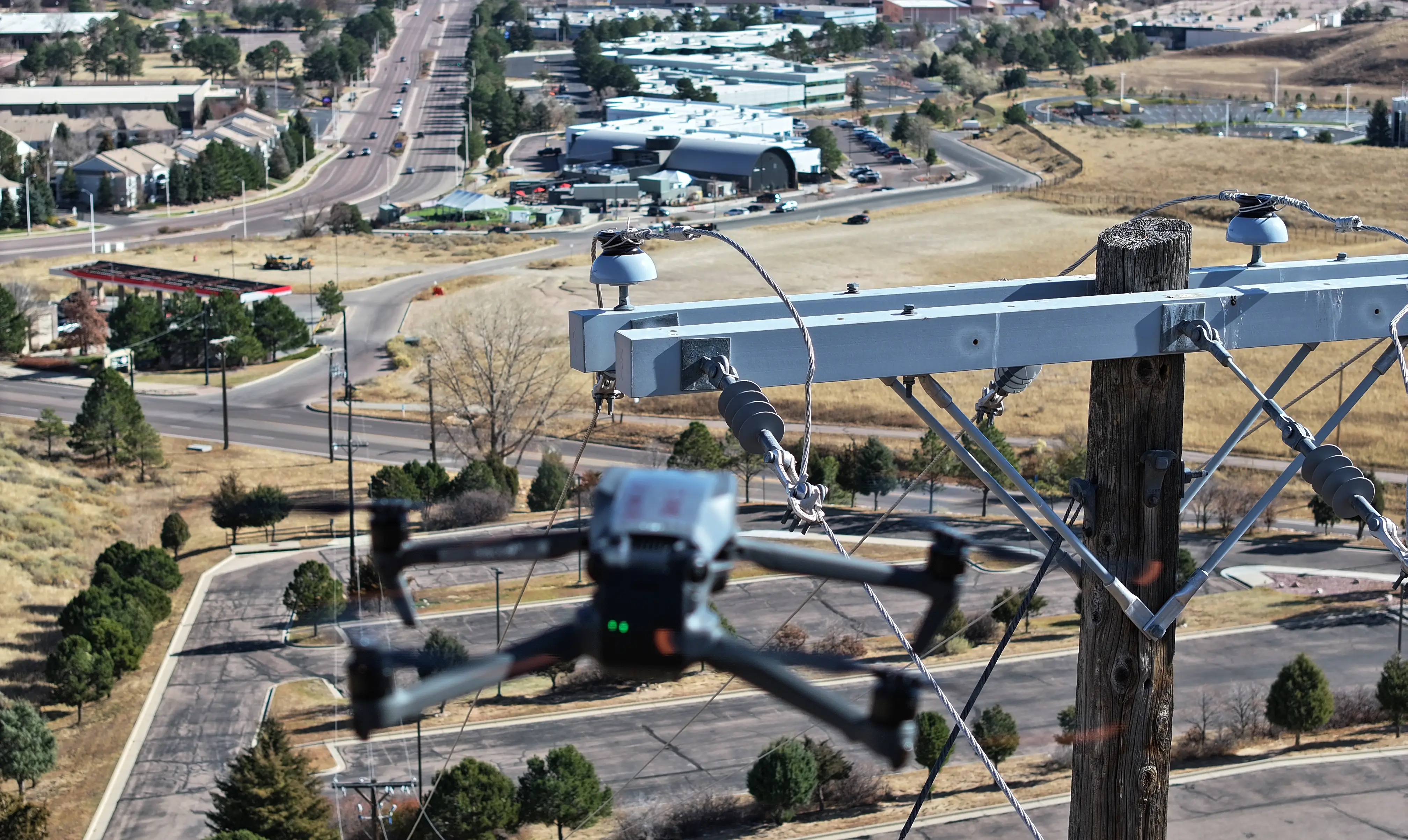
Close-up of inspection drone hovering near utility pole in urban area

Built Around Field Verification

‍

Every finding is ranked and labeled with what the analysis could and could not establish, so crews go where they are most likely to find something. Where voltage alone cannot settle a question, the finding says so and leaves the call to field confirmation.

‍

  • Findings categorized as wrong feeder, unmapped meter, same-feeder conflict, missing from GIS, or location discrepancy
  • Crews record on-site results directly in the work list
  • GIS corrections detected automatically at the next refresh
  • Meters confirmed correct are retired from future lists
Labor reduction engineering icon
The Utileyes Difference

How Utileyes Works: From AMI Voltage Data to a Prioritized Work List

Confirming connectivity has traditionally meant sending someone to look. Utileyes reads it from the voltage data your meters already record, then points crews to the findings most likely to need a fix.

Step 1

Ingest

Load interval voltage, meter IDs, and locations from your AMI or meter data management system.

Step 2

Profile

Build a voltage signature for every meter across several weeks of readings.

Step 3

Group

Group meters whose signatures move together, considering only meters close enough to share equipment.

Step 4

Compare and Rank

Compare the groups with your GIS, rank every disagreement, and repeat weekly so persistent findings rise to the top.

Step 5

Verify and Track

Crews confirm findings in the field. GIS corrections are detected at the next refresh, and confirmed meters are retired from future lists.

System-wide

your full meter population analyzed, not a sample

Signal disconnected icon

3.1 X

return on investment through reduced truck rolls and avoided outages

Traditional inspection workflow path icon

Less than 30

days from program kickoff to first live inspection flights

Drone icon

15 minutes

photo to dispatch, versus weeks with their previous vendor

PROGRAM OUTCOME
Getting Started

Start With a Pilot on One Substation or Group of Feeders

Begin with a defined part of your system, such as a substation or a group of feeders. Provide an extract of interval voltage and meter locations, and receive a prioritized findings report ready to load into your GIS, with a review session to walk through the results together.

Each utility's data is kept separate and used only to produce that utility's results. Self-service data upload and an interactive map view are in development.
Utileyes
Capability
Outsourced Vendor Programs
Enterprise Platforms
Photo to dispatch time
15 Minutes
1-3 weeks for final report
Varies-days to weeks
Auto photo organization by GPS
Check icon
(Vendor handles internally)
Varies by platform
Built for in-house utility teams
Check icon
(External service model)
(Enterprise IT focused)
Thermal hotspot detection support
Check icon
Depends on vendor capability
Varies by platform
Operational in under 30 days
Check icon
N/A
(Implementation takes months)
Simple enough for linemen to use directly
Check icon
N/A
(Typically requires dedicated admin)
On-demand deployment post-storm or red flag
Check icon
Subject to vender scheduling
Software only, depends on team
arrow_outward